How fields are shown
The field set, kernels on the CPU and the GPU, the legend's range and the labels at points
A solve writes values on a mesh: a displacement at each node, a stress tensor in each element. Construct shows these values with a few small parts. Each part has one job and works for any field of any study. This page explains those parts and why they are made the way they are.
The field set
The values of a solve are a field set: one field per quantity, each with a descriptor. The descriptor gives the field's name, its unit, its arity (scalar, vector or tensor) and where it lives (at the nodes or in the elements). A field can also vary over an axis, such as a load case, a time step or a mode. The field set travels with the mesh in the solve's file.
Derived values are kernels
Many values that you look at are not stored. The von Mises stress, the factor of safety and the length of a displacement are computed from stored fields. Each such computation is a field kernel: a short function that reads the values at one node or one element and gives one result.
Each kernel is written once, in GLSL. The same text runs in two places:
- On the CPU, through Construct's evaluator, for a value under the cursor, an extreme, a legend's range or an exported number.
- On the GPU, spliced into the viewport's vertex shader, for the colors you see.
Because both run the same text, a number that Construct reports and the color at the same point come from the same formula.
Why the value under the cursor equals the color
The viewport computes a kernel at each node and then blends the results across each triangle. The value under the cursor is computed the same way: the kernel runs at the corners of the element that holds the point, and then the results are weighted. So the readout and the pixel agree.
Computing the kernel of the blended stress would give another number, because a kernel like von Mises is not linear. The readout says "interpolated" when the point lies between nodes, so you know that the number is not at a node.
Why the stress legend ends at the 95th percentile
A stress field often has a few very high values at a sharp corner or at a support. If the legend ran to the true maximum, almost all of the part would show in the lowest colors. So a stress legend ends at the 95th percentile of the surface, and it marks the true maximum above the bar. You can choose the full range, a range of your own, or a target range instead.
Labels at points
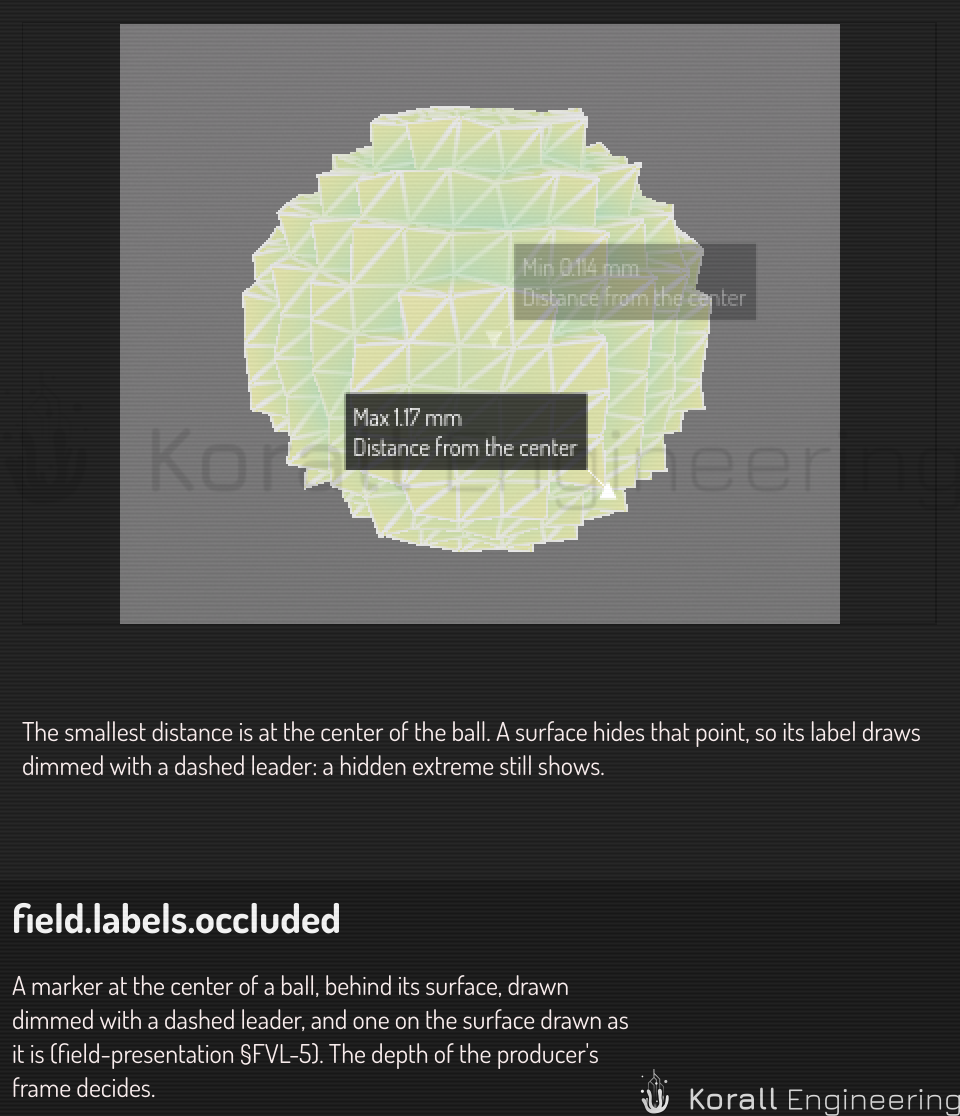
A marker at an extreme is an anchored label: a short text tied to a point of the part, drawn with a dot at the point and a leader line to the text. The labels move apart so that they do not cover each other, and they keep their places while you turn the view.
An extreme can be inside the part. A label whose point a surface hides still shows, but dimmed, with a dashed leader. Hiding it would hide the most important number. The viewport decides this from the depth of the frame it shows, so the dimmed label is always the one behind what you see.