Make a turntable video
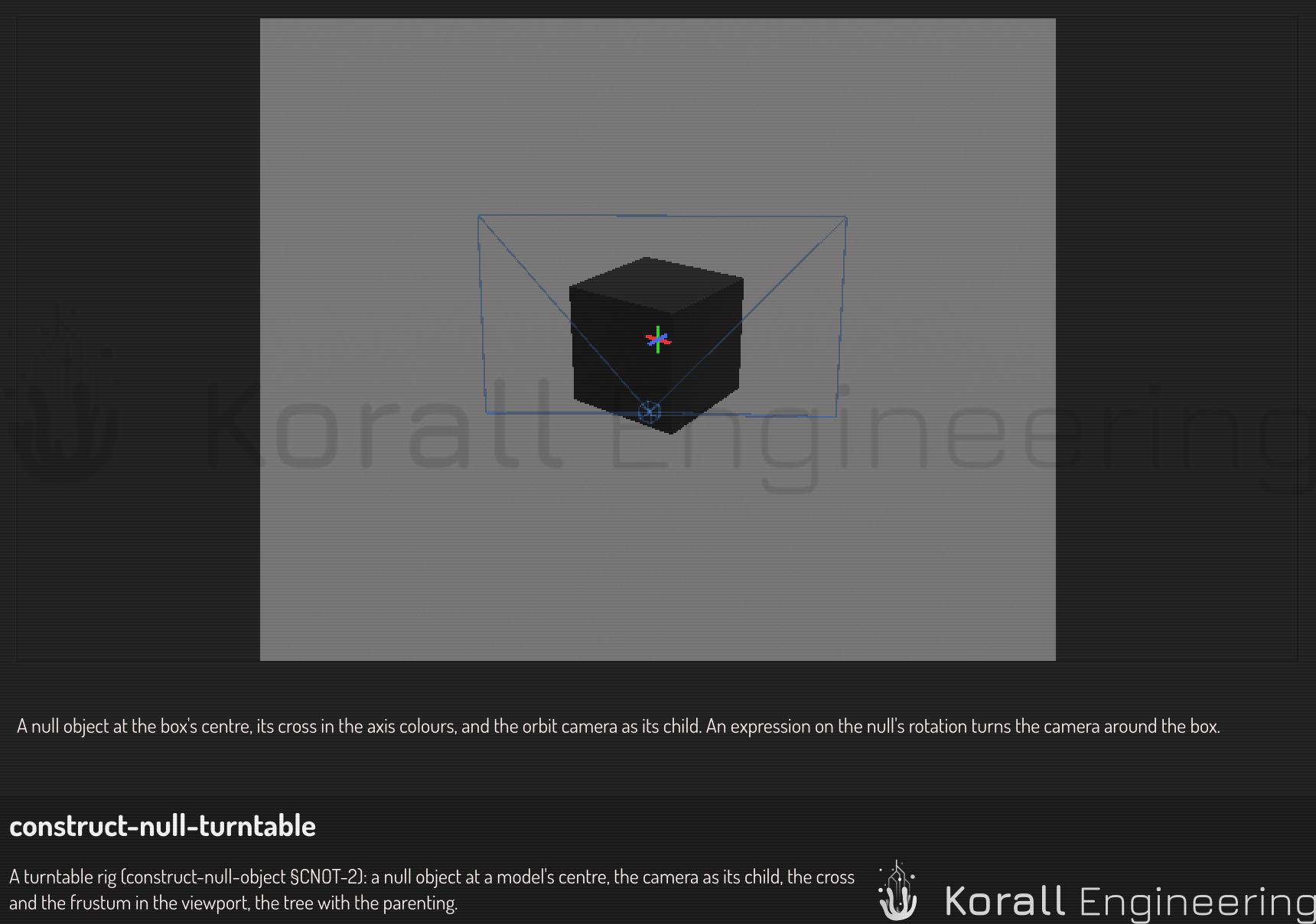
A turntable video shows a part from every side: the camera goes once around it, and the part stays still. Construct has no turntable tool. You build one from a null object, a camera and one expression, and you can change any of them later.
Before you start
Have the part in the scene, and decide how long the video is: the frame range and the frame rate are the scene's animation settings, the ones the timeline shows.
Add the null
- Point at the gap at the top of the scene tree and click the null button of the tag that appears. You can also open the Things finder and click Null object in its bar.
- The null lands where the view is looking, as a small cross. Move it to the middle of the part: drag its gizmo, or type the position in its row.
The null is the point the camera goes around. It has no geometry of its own, so it never shows in the video.
Put the camera under it
- Add a camera, then drag its row onto the null's row, so the camera is the null's child.
- In the camera's row, set its position relative to the null: for example 0 across, a little up, and the distance you want along z.
- Tilt it down until it looks at the null (a negative x rotation).
Look through the camera from the viewport's camera menu to check the shot.
Turn the null
In the null's row, give its rotate an expression instead of numbers:
=vec3(0, (anim.frame - anim.first) / (anim.last - anim.first + 1) * 360, 0)
The null turns once about its up axis over the frame range, and the camera goes around with it. Move the timeline to see it; the last frame stops one step short of a full turn, so the video loops without a repeated frame.
To go around twice, multiply by 720 instead of 360. To go the other way, put a minus in front of the angle.
Render it
Open the Rendering window, choose the camera, and queue the render. Each frame evaluates the expression, so the camera's place in the video is the place you saw on the timeline. See Export a rendered animation for the output options.
Ask OPAL
You can ask OPAL for a turntable in words, for example "make a turntable video of the wheel, 10 seconds". It builds the same rig with the same tasks: a null, the camera as its child, and the rotate expression on the null.