Choose the program for file types
Choose which program opens scenes and meshes when you double-click them
Construct can open its scenes and common mesh files when you double-click them, or from Open with in your file manager. The installer registers nothing: you choose in the File types window, and Construct registers itself for you alone, without administrator rights.
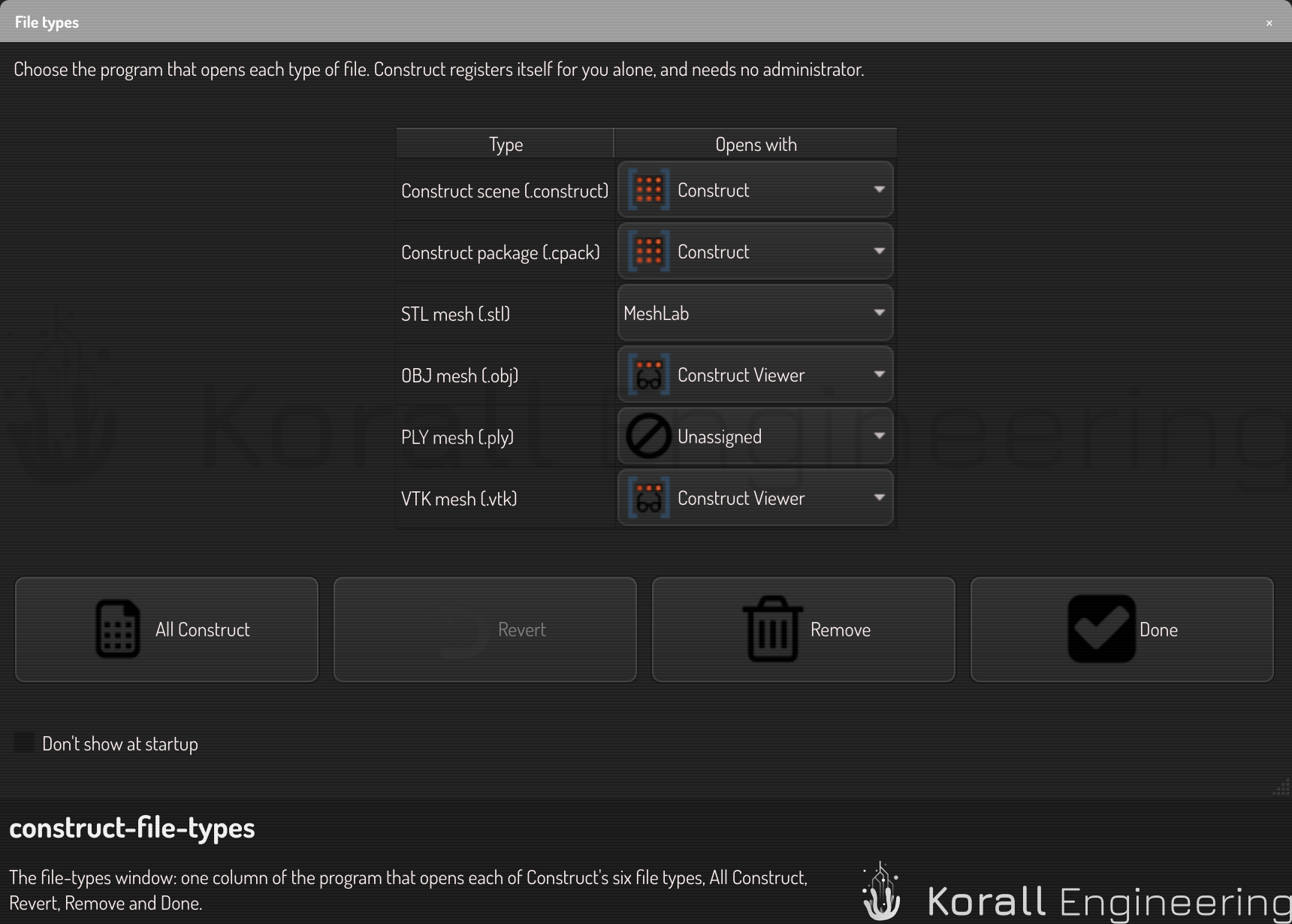
Open the window
Construct shows the window when it starts, until you tick Don't show at startup. You can open it at any time from Help ▸ File types… in Construct, or from File types… under the arrow beside Open in Construct Viewer. Construct Viewer never shows it by itself.
Choose a program
The window has one row for each type:
| Type | Construct suggests |
|---|---|
Construct scene (.construct) |
Construct |
Construct package (.cpack) |
Construct |
STL mesh (.stl) |
Construct Viewer |
OBJ mesh (.obj) |
Construct Viewer |
PLY mesh (.ply) |
Construct Viewer |
VTK mesh (.vtk) |
Construct Viewer |
Each row has one list with a large icon: the program that opens the type now, Construct, or Construct Viewer. A type that no program opens shows Unassigned. When a type already opens in another program, the row keeps it. When no program opens it, the row suggests the program of the table.
- All Construct sets every row to the program of the table.
- Revert sets every row back to what the window showed when it opened. It is off until you change a row.
- Remove removes the registrations, as the last section says.
- Done registers what the table shows and closes the window. If something did not work, the window stays open, and the line under the buttons says why.
On Linux
Construct writes its desktop entries, the file types that the system does not know yet (.construct, .cpack, .ply and .vtk), and your choices into your own mimeapps.list. The other lines of that file stay as they are.
Two programs of your desktop finish the job: update-mime-database and update-desktop-database. Both come with every desktop distribution. If one is missing, the line under the buttons says what does not work without it: new file types are not known to the system, or GNOME does not list Construct.
On Windows
Windows lets no program set itself as the default. Construct registers itself for the types you chose, then opens Settings ▸ Apps ▸ Default apps at its own page, where you confirm. The window stays open. When you come back to it, it shows what you chose there.
Remove the registrations
Press Remove to delete every entry that Construct wrote, and every default that names Construct or Construct Viewer. Do this before you remove Construct from your computer: the uninstaller removes nothing of it. After it, every row keeps the program it has now, so Done registers nothing again.
On Windows, a default program that you chose in Settings belongs to Windows, and no program can change it. If a file type still opens with Construct, the window names it and opens Default apps in Settings, where you choose the program you want, for example the slicer you used before.
When an update moves Construct to another folder, Construct writes its entries again at its next start, so they name the new program. It never changes a default by itself.