OPAL view tasks
Five tasks let an assistant look at what the application is showing. They answer questions a description cannot: whether two parts intersect, which way a piece faces, what the user is actually looking at.
Every one of them is local only. A remote caller can never capture this screen.
Choosing the cheapest task that answers the question
An image costs visual tokens, and the four tasks differ by roughly a hundred times. Pick by what you need to know.
| You want to know | Task | Rough cost |
|---|---|---|
| What one primitive looks like | construct.thumbnail.get |
~25 tokens |
| How pieces sit relative to each other | view.box |
six small faces |
| What one viewpoint shows | view.snapshot |
one image at your size |
| What the user is looking at right now | view.capture |
~2691 tokens for a full window |
construct.thumbnail.get reads a cache, so a repeated look is free. Reach for
it to identify a piece, and only then reach for something larger.
view.list_sources
List the visual surfaces this application can capture: the id, the title, and whether each accepts a placed camera. Call this first — the ids differ between applications, and a guessed id fails.
Parameters: none. Output keys: sources, count.
hub --opal 'view.list_sources' -c
view.capture
Capture one image of a registered surface as it is now.
Parameters: source (required, from view.list_sources), max_edge —
longest edge in pixels, default 768 — and region, a crop rectangle in source
pixels given as {x, y, w, h}. The crop happens before the scale.
Output keys: path, pixel_size, visual_tokens.
Lower max_edge when you only need the layout. The cost falls with the square
of the edge.
hub --opal 'view.capture source=app.window max_edge=768' -c
view.snapshot
Place a camera and render from it. This needs a source that declares the camera
capability — view.list_sources says which do.
Parameters: source, eye and target are required, each a three-number
list. Then up (default [0, 1, 0]), width and height (default 512),
projection — orthographic (the default) or perspective — and either
fov_deg for perspective or ortho_height for orthographic.
ortho_height is the world distance across the frame's height, so it is how
you decide how much of the scene fits.
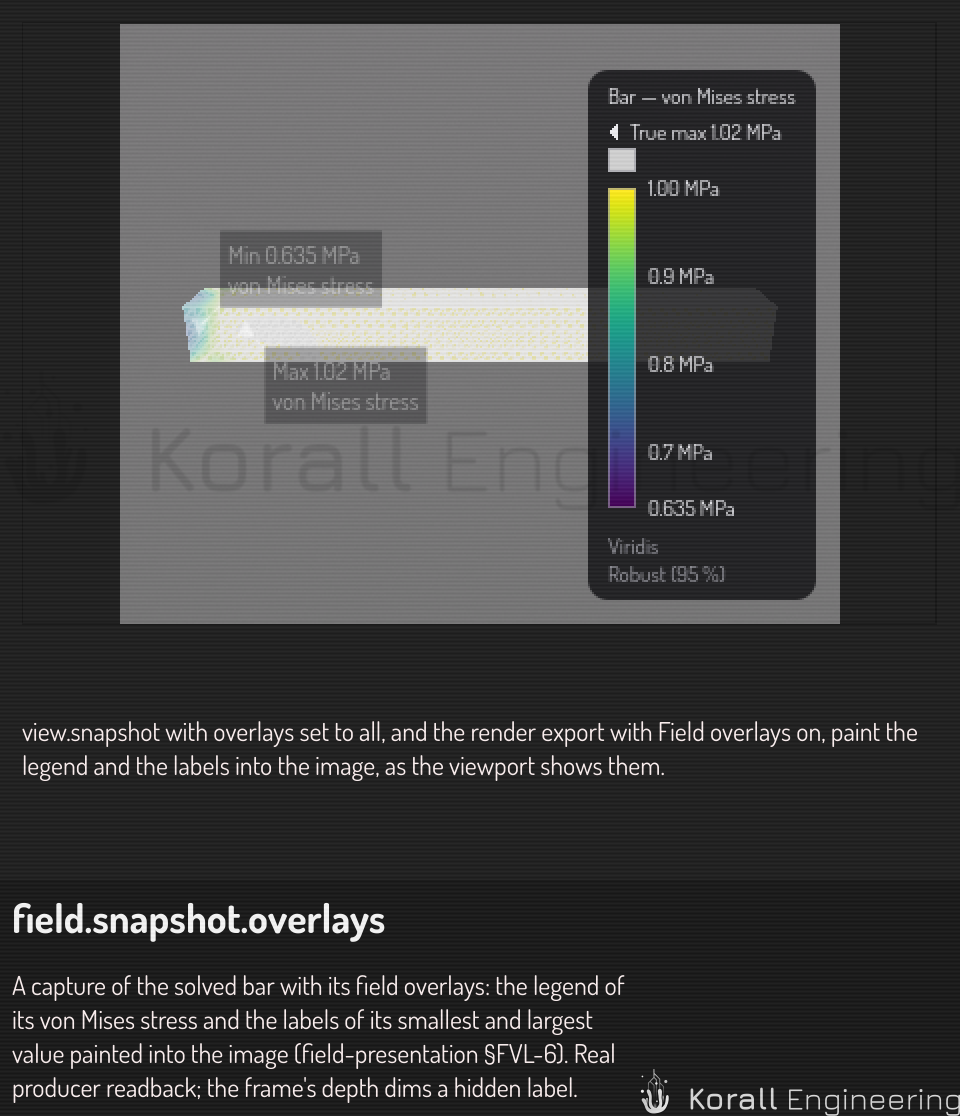
overlays sets what the image shows over the render. The values are none
(the default), labels, legend and all:
| Value | What the image shows over the render |
|---|---|
none |
Nothing. The image shows the scene only |
labels |
The labels of the markers and the probes, each with its leader line and its value |
legend |
The field legends in the lower right corner, as the viewport shows them |
all |
The labels and the legends |
The capture places the labels with its own camera, size and depth. A label
that a surface hides shows dimmed, as in the viewport. Use legend or all
when the image must tell which color is which value.
Four more parameters ask for a final-quality still of a path-traced scene. Each one replaces the scene's own value for this still alone, and an absent one keeps it:
| Parameter | Value | What it sets |
|---|---|---|
samples |
A whole number from 1 | The most samples per pixel |
noiseThreshold |
A number from 0 | The noise level at which a pixel stops early. 0 keeps the full sample count |
timeLimitMs |
A whole number of milliseconds from 1 | The longest time the still may take |
denoise |
off, atrous or oidn |
The denoiser that runs on the still when it stops |
The scene's own values are the final group of its Path tracing settings, the values that an export uses. A path-traced still can take minutes. The task gives up after 300 seconds, and a cancel stops the render between two GPU submissions.
{"task": "view.snapshot", "args": {"source": "construct.viewport", "eye": [0, 40, 300], "target": [0, 0, 0], "projection": "perspective", "samples": 1024, "noiseThreshold": 0.01, "denoise": "oidn"}}
Output keys: path, pixel_size, visual_tokens.
view.box
Six faces of a box around something, packed into one labelled atlas. This is the task for judging how pieces relate: one image answers questions that would otherwise take six snapshots and a lot of guessing about camera placement.
Parameters: source is required. Then either item — an item id, from
which the center and size are taken from its bounding box — or center and
size given by hand. face_pixels sets the size of one face, default 256.
Prefer the item form. It cannot frame the subject wrongly. It frames a mesh
or a tet volume item too, by the box of its file's geometry; while the file
is still loading, it says so.
Output keys: path, pixel_size, visual_tokens.
construct.thumbnail.get
Show the cached thumbnail of one Construct primitive. The cheapest way to see what a piece looks like: about 25 visual tokens against roughly 2691 for a full window.
Parameters: id (the primitive), size (pixels, default 128).
Output keys: path, pixel_size, visual_tokens, document.
hub --opal 'construct.thumbnail.get id=sphere size=128' -c
What these tasks will not do
They do not cross a node. An image is a file on the machine that made it, and a path means nothing on another node. A remote request carrying images is refused rather than answered from a picture that never arrived.
view.capture of the app window is never cached. Its subject changes
whenever the user moves the mouse, and a cached frame would be stale with no
way to tell.
See also
- Ask OPAL to look — the how-to, with worked examples.
- OPAL system tasks — the rest of the task reference.
- Construct render tasks — the status, the shading and the export of the viewport that shows a document.